
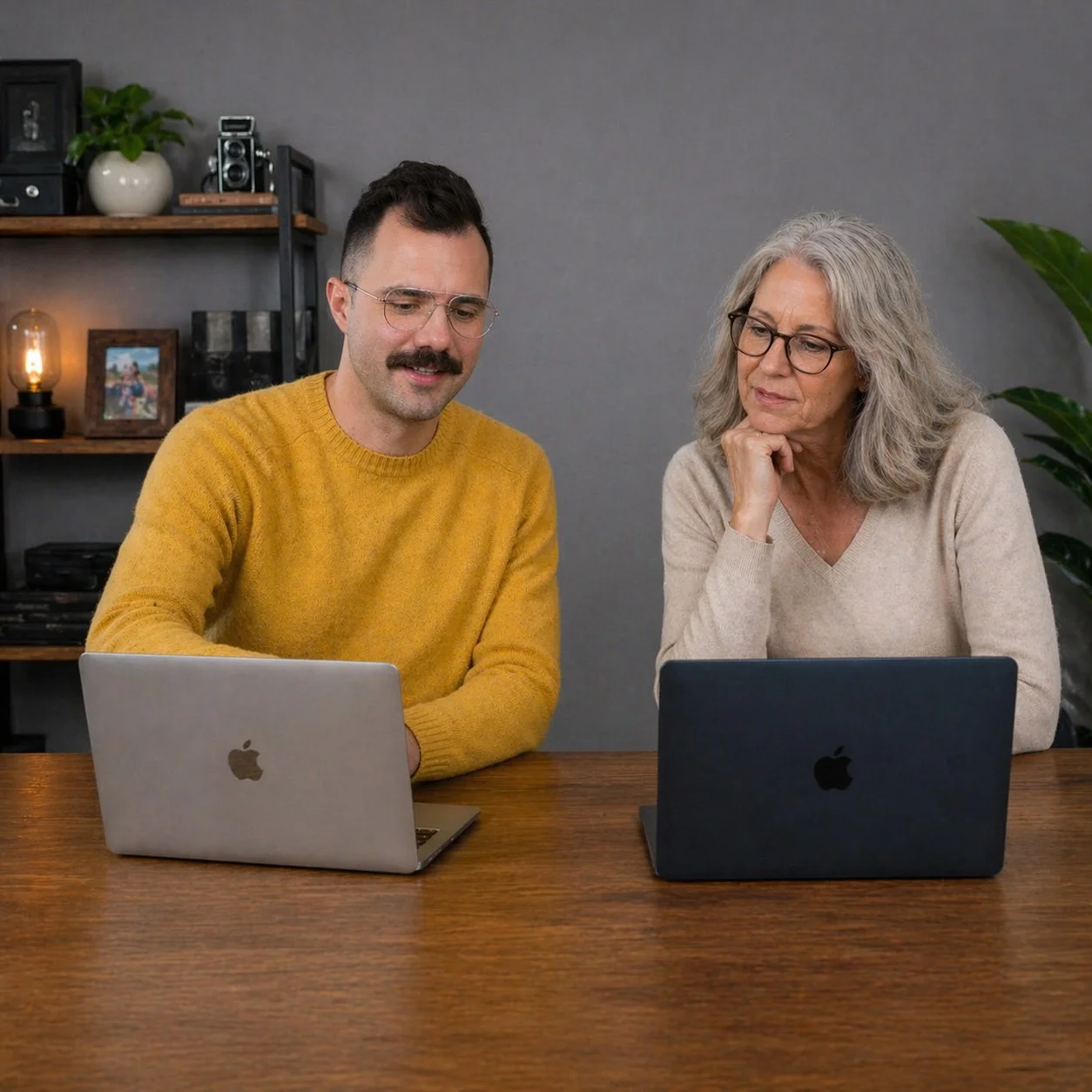
Computer tutoring
in San Francisco, Washington DC, and by Zoom
Technology has changed fast, and most of it arrived without instructions. If you're feeling behind, or if you've been muddling through on your own and would rather actually understand what you're doing, that's exactly who I work with.
Technology has changed fast, and most of it arrived without instructions. If you're feeling behind, or if you've been muddling through on your own and would rather actually understand what you're doing, that's exactly who I work with. I offer one-on-one computer tutoring for individuals and small offices in San Francisco and Washington, DC, and over Zoom for anyone, anywhere. I don't do large business or enterprise support; my clients are people who want to feel capable and confident with the devices they use every day.
My approach
I grew up before computers were part of everyday life, which means I know what it's like to come to this from the outside. I can draw on the analog world to explain things in ways that actually make sense, and I don't assume you already know the vocabulary. I don't rush. I don't mind going over something twice, or approaching it from a completely different angle if the first explanation didn't land.
I've worked with clients as old as 100. Age has very little to do with whether someone can learn this material. What matters is having a patient teacher who meets you where you are, not where they think you should be.
I also publish a regular newsletter written specifically for people who aren't techies. It covers current tools, updates, and practical tips in plain language. Staying subscribed is a good way to keep building on what we cover in sessions.
What I can help with
Mac basics. New to a Mac, or just never had a proper introduction? We'll cover how the desktop works, how to find and manage files, how to install and update apps, and how to keep things running the way they should.
Switching from Windows to Mac. A Mac is not a Windows computer with a different logo. The transition trips up a lot of people because the logic is genuinely different. I'll help you build a mental map so things start landing where you expect them.
iPhone and iPad basics. Whether you just unboxed a new device or have had one for years and still feel uncertain, we'll go through what matters to you: photos, contacts, settings, apps, and anything else on your list.
iPhone photography. Your iPhone camera is more capable than most people realize, and most of that capability is buried in menus no one explained. I can walk you through how to get better shots, organize your library, and make sure your photos are backed up so you never lose them.
Organizing your email. A full inbox is stressful, and an unclear system makes it worse. I'll help you set up something that fits the way you actually use email, whether you're on Apple Mail, Gmail, or Outlook.
Organizing your files. If you're not sure where things are saved, or your desktop has become a catch-all, we'll build a folder structure that makes it straightforward to find what you need.
Getting started with AI tools. Tools like ChatGPT can be genuinely useful once you understand what they're good at and what they're not. I'll walk you through the basics without the hype, so you can decide what's worth your time.
No such thing as a dumb question
I've heard every version of "I should probably already know this." You don't owe anyone a prior education in technology. Computers and smartphones are complicated, and the people who built them were often not thinking about how to explain them to someone who came to this later in life. My job is to close that gap, without making you feel like you've missed something obvious.
If you've tried YouTube videos and found they move too fast, skip steps, or assume too much, a one-on-one session is a different experience. It moves at your pace. It focuses on your specific questions. And if something isn't clicking, I'll find another way to explain it.
How it works
Sessions are one-on-one and built around what you need. If you're in San Francisco or Washington, DC, I can come to you. If you're elsewhere, we work over Zoom, and I'll share my screen or walk you through what to click on yours.
We start with your questions, not a preset curriculum. If there's one thing you want to sort out and nothing else, that's what we do. If you have a running list, we work through it at whatever pace makes sense. There's no required number of sessions.
After each session, you'll receive a summary from Zoom so you have something to refer back to.
Rates are on the booking page. To schedule a session, visit jimmytechsf.com/book.
Questions I hear a lot
Am I too old to learn this? No. I've worked with clients in their 80s, 90s, and even a few over 100. Learning technology isn't an age thing. It's about having someone explain it at the right pace, without assumptions about what you already know.
Do I need to know anything before we start? No prerequisites. We begin wherever you are. There's no baseline you need to hit first.
How many sessions will I need? That depends on what you want to learn and how much you practice between sessions. Some people want one session on one specific topic. Others check in every few weeks as new questions come up. There's no minimum.
What if I forget what we covered? That's normal, and it's not a problem. After each session you'll receive a summary from Zoom to refer back to. And if something doesn't stick the first time, we go over it again.
I'm nervous I'll slow things down with too many questions. That's what the session is for. There is no such thing as too many questions.
Do you work with Windows computers? My focus is Apple devices: Mac, iPhone, and iPad. I can help with some Windows questions, things like understanding how the menus and settings work differently from a Mac, or how to install and remove apps properly. But if Windows is your primary machine and Windows support is the main thing you need, I may not be the right fit.
Can we do this over Zoom if I'm not in San Francisco or DC? Yes. I work with clients across the country via Zoom. Most tutoring topics work well remotely.
What if I need help between sessions? I'm reachable by email between sessions for quick follow-up questions. Anything that needs more time, we'll schedule a new session for.
I've tried YouTube and it doesn't work for me. Will this be different? Almost certainly. YouTube tutorials are made for a general audience and move at a general pace. A one-on-one session moves at your pace, addresses your specific questions, and lets you stop me any time to ask me to explain something a different way.
Do you cover topics not listed here? Yes. The topics above are common starting points, but if you have a question that doesn't fit neatly into any of them, reach out and I'll let you know if it's something I can help with.
Related reading
Getting started with ChatGPT: A beginner-friendly introduction to what ChatGPT is, what it's actually good for, and how to have a useful first conversation with it. An updated version is in progress.
More articles on Mac basics, iPhone basics, organizing email and files, and more are in progress. Subscribe to the newsletter to get them when they publish.