


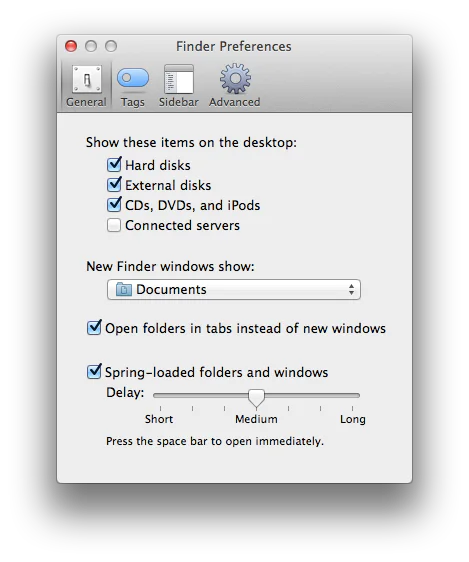
You can choose which folder opens when you create a new Finder window. Click Finder in the Dock, then choose Finder > Settings from the menu bar. Click General, then choose your preferred folder from the "New Finder windows show" menu. The screenshot above shows the older Finder Preferences interface; current macOS calls it Settings.