
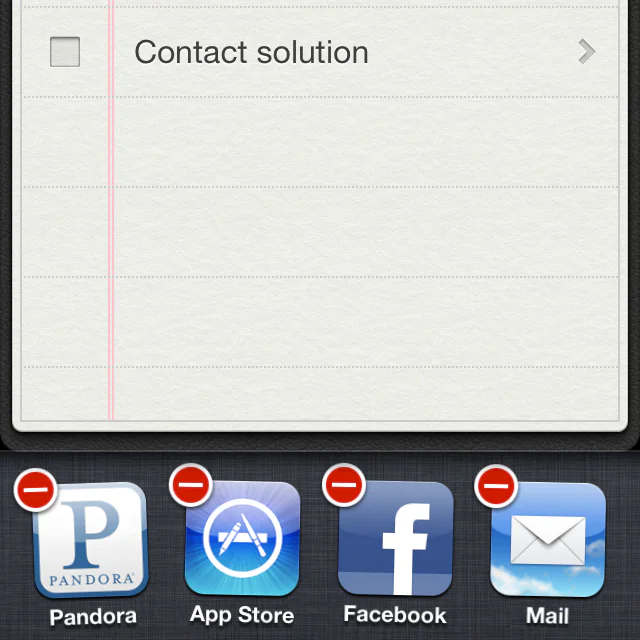

I want to clear up some misconceptions about your apps running in the background. I even know several people who have gotten very bad information from Apple Store employees about this. If you "terminate" your apps when you are done with them you are wasting your time, and very possibly slowing your iPhone down. Let me explain.
In multitasking, if you see a task manager, they blew it. Users shouldn’t ever have to think about it.
Steve Jobs announcing the multitasking feature of iOS 4
In the past, back when our computers had limited amounts of RAM ("memory") and computers weren't as smart as they are today, we were obsessed with making sure that we quit programs that aren't being used. We sought to have as much free memory as possible for any new program to come along and use it. Now we have smarter ways of managing memory, and many programmers have a new saying, "unused RAM is wasted RAM." The idea is that if you leave an app, the computer doesn't necessarily remove it from memory in case you open it back up again. But if another app comes along and needs some memory, the computer can decide what to remove to make way for the new app.
The app switcher shows recently used apps. Despite what you might have been lead to believe, this is not a list of currently running apps. Apple places strict limits on what apps can do in the background. After you switch away, an app may run briefly before being suspended, and iOS manages the memory it needs. Some apps can perform specific background tasks or refresh their content.
There is no need to routinely force-quit apps. If an app is unresponsive, close it from the app switcher, then open it again. The screenshot above shows the original 2012 interface.