

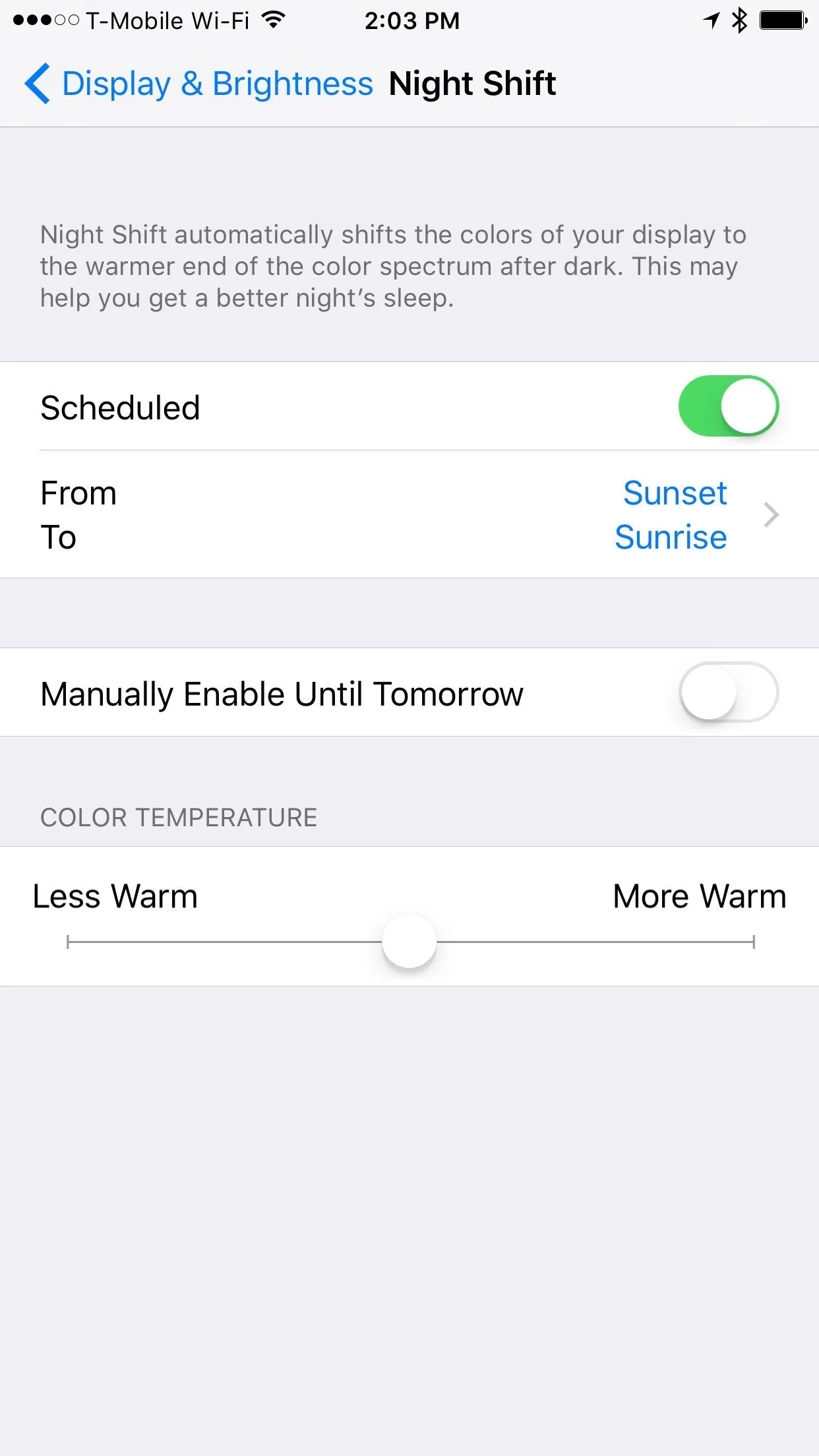
Studies have shown that limiting blue light from screens before bed might help you sleep better. The theory is that blue light tricks your body into thinking the sun is up. iOS 9.3 added a new feature called Night Shift that gives your screen an orange hue during set hours or after dark. To set the schedule, go to Settings > Display & Brightness > Night Shift. You can set the color temperature and configure it to run at a particular time or to use your GPS location to enable it at sunset.
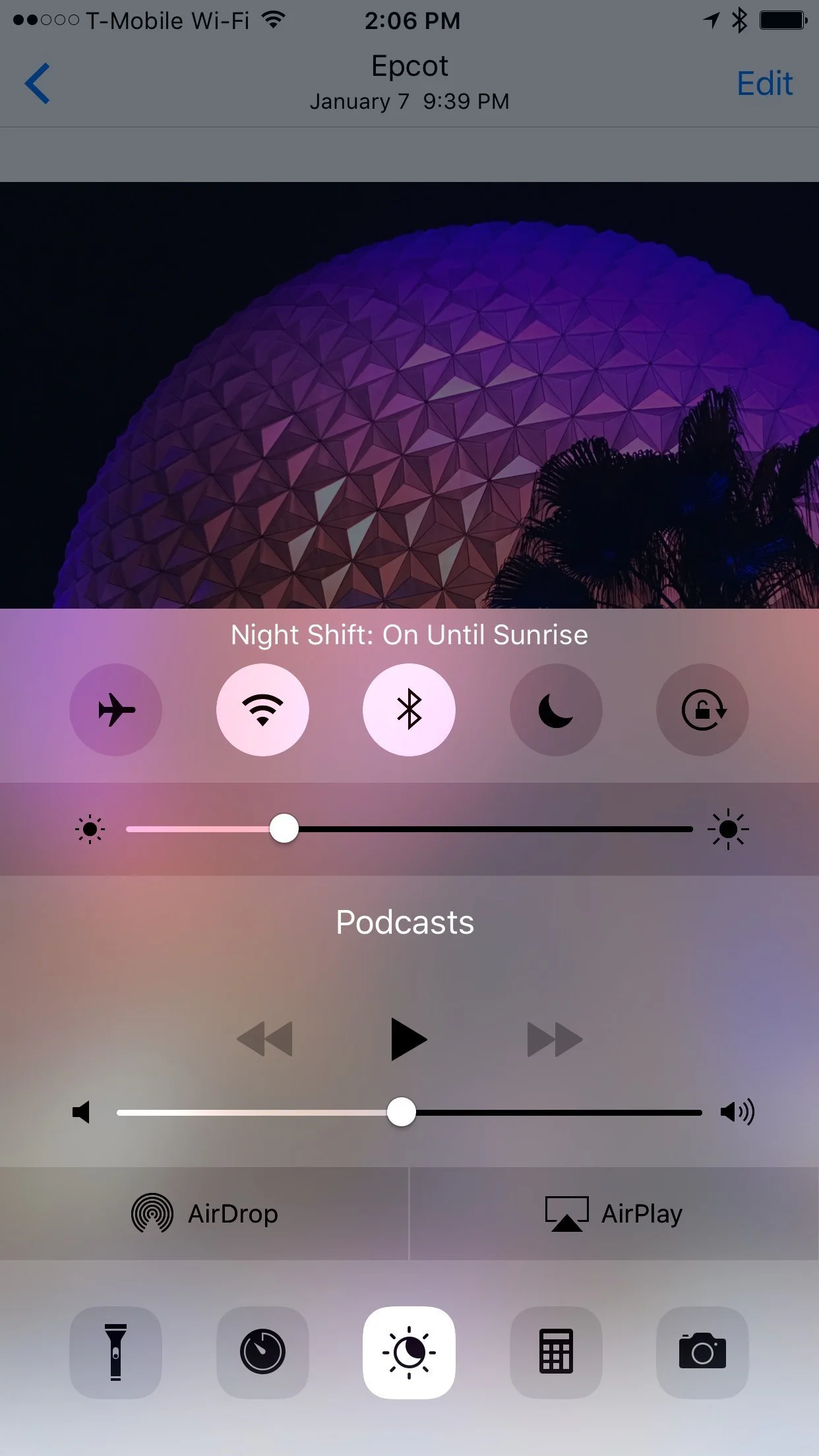
Night Shift can be manually toggled, which could be handy if you temporarily need color accuracy after dark. Swipe up from the bottom of the screen to expose Control Center. Tap the center sun/moon button on the bottom row.
Note that this only works on devices with a 64-bit processor. That means iPhone 5s or later (any iPhone with Touch ID), iPad Air or later, or iPad Mini 2 or later (any iPad Mini with a Retina Display), or the most recent sixth-generation iPod Touch.