


Apple’s 27.2 software updates are here. For most people, the main reasons to update are bug fixes, security fixes, and performance improvements. There are also a few new features.
Which updates are available?
- iPhone: iOS 27.2
- iPad: iPadOS 27.2
- Mac: macOS Golden Gate 27.2
- Apple Watch: watchOS 27.2
- Apple TV: tvOS 27.2
- HomePod: HomePod software 27.2
- Apple Vision Pro: visionOS 27.2
- Older software versions:
- iPhone and iPad: iOS 26.7.2 and iPadOS 26.7.2
- iPhone XS, XS Max, XR, and iPad (7th generation): iOS 18.7.11 and iPadOS 18.7.11
- Mac: macOS Tahoe 26.7.2 and macOS Sequoia 15.8.2
- Safari on Tahoe and Sequoia: Safari 27.2
- Apple TV HD and Apple TV 4K (1st generation): tvOS 26.6.1
New features
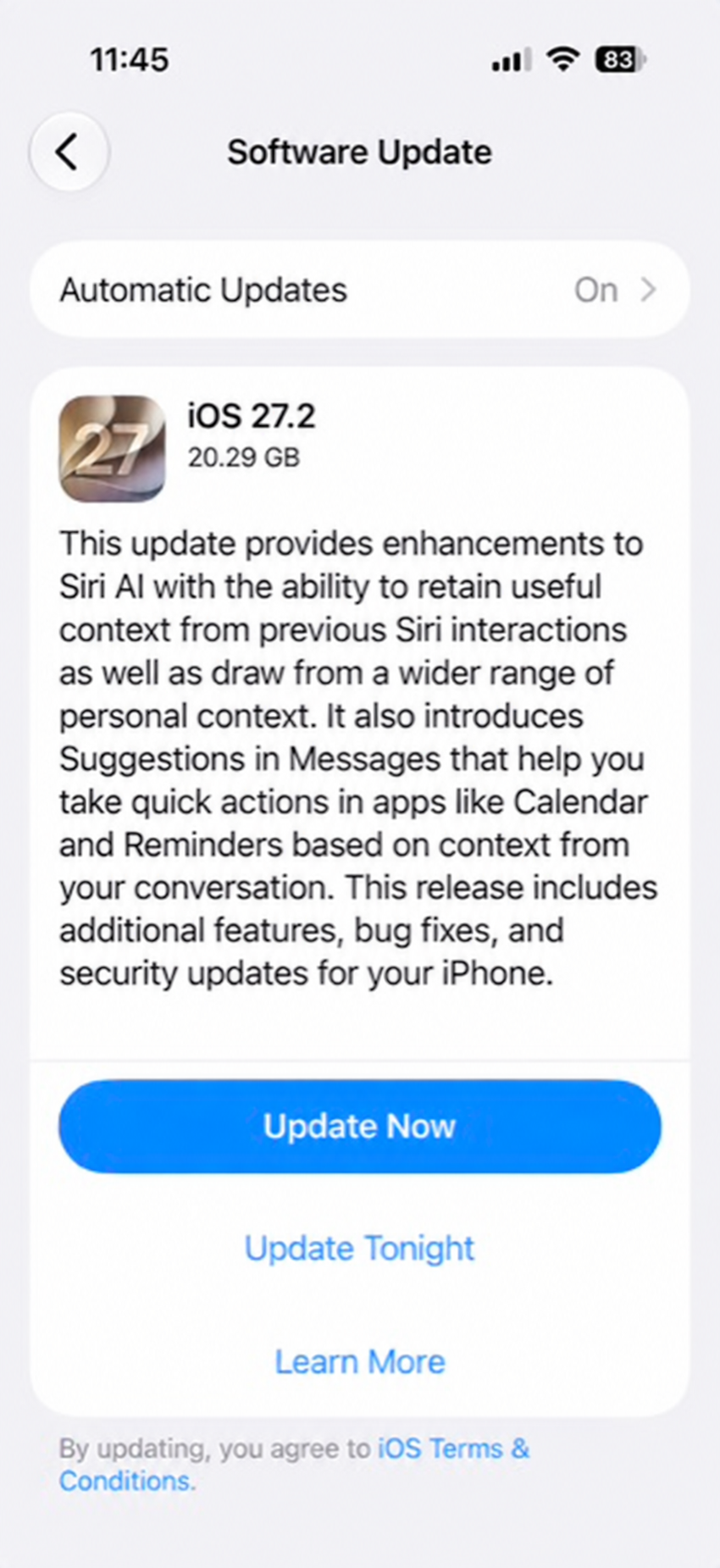
- More context for Siri AI: Siri can retain useful context from previous interactions and draw on a wider range of personal context on iPhone and Mac.
- Suggestions in Messages: On iPhone and Mac, Messages can suggest quick actions in apps such as Calendar and Reminders based on your conversation.
- Apple Pencil and Edge Light on iPhone Duo: iPhone Duo now supports Apple Pencil. Edge Light illuminates your face during video calls.
- More Siri AI languages: French, Japanese, Korean, Portuguese, and Spanish on compatible iPhones, iPads, and Macs.
- TV app profiles on iPhone and iPad: Switch between viewers, including child profiles with content-rating restrictions. Useful if you share an iPad.
- Anniversary reminders during calls: Call Context can show an alert when you call someone whose anniversary is saved in Contacts. Requires Apple Intelligence.
- A new Music icon: Apple has changed from a red icon to a black icon. Not exactly a new feature but a change you should be aware of if you’re looking for your Music app.
- Hidden watermarks for AI images: On iPhone and Mac, images created in Image Playground and some images edited with generative tools in Photos now include an invisible SynthID watermark to help identify AI-generated or AI-edited content.
- Multiview sports on iPhone: Watch up to four supported live sports streams at once in the Apple TV app. Requires an Apple TV subscription. Supported events include MLS, Friday Night Baseball doubleheaders, and Formula 1 in the U.S.
- Dual Capture in group FaceTime calls: Show your front and rear camera views at the same time during a group call. Supported models are iPhone 17, iPhone 17 Pro, iPhone 17 Pro Max, iPhone Air, iPhone 18 Pro, iPhone 18 Pro Max, and iPhone Duo.
- More accessible FaceTime calls: Add a third-party sign language interpreter or live captioner to a call.
HomePod
- Sound Glow: The top of HomePod pulses and glows along with your media, with matching light animations for soundscapes. Available on HomePod mini, HomePod mini 2, and HomePod (2nd generation).
- Four-speaker surround sound: Connect four HomePod speakers to Apple TV 4K (4th generation). This requires matching front and rear pairs of HomePod mini 2 or HomePod (2nd generation).
- HomePod audio for your Mac: Use HomePod as the audio output for everything on your Mac through a responsive, persistent AirPlay connection.
- Lock touch controls: Disable the touch controls on top of HomePod to prevent accidental pauses, skipped songs, or volume changes.
How to find the updates
Before installing, make sure you have a current backup.
- iPhone or iPad: Open Settings > General > Software Update.
- Mac: Open the Apple menu > System Settings > General > Software Update.
- Apple Watch: On your iPhone, open Watch > My Watch > General > Software Update. Leave the watch on its charger and keep the iPhone nearby while it updates.
- Apple TV: Open Settings > System > Software Updates > Update Software, then choose Download and Install if an update is available.
- HomePod: On your iPhone, iPad, or Mac, open Home, select the More (…) menu, then Home Settings > Software Update. Select Update if offered, and keep HomePod plugged in.
- Apple Vision Pro: Open Settings > General > Software Update.
Apple has separate instructions for updating an iPhone or iPad and updating a Mac if you need help with the process.